Morpheus
A downloadable Narrative Game engine for Windows
A text based custom engine that runs on the terminal, made to run ".dream" files. It also has a small custom DSL.
DREAM FILES..:
Dont get scared by the cool name i gave it ;)
its basically a non encrypted text file, with instructions written inside it for Morpheus to run.
Im currently working on LittleBig, its going to be the first cartridge for the game set in a post apocalyptic world. its very work in progress but it does use every function of my engine.
Find Dream files and bad source and more on github!
games there are updated much more often ;)
https://github.com/moinaaaaa/Morpheus
Booting a Game:
To play Morpheus games simply put them inside the directory you will find inside the zip file containing the engine. The directory is named "cartridges". When you have any game inside that folder and you run the Morpheus exe, it will ask you to type the name of the game..:
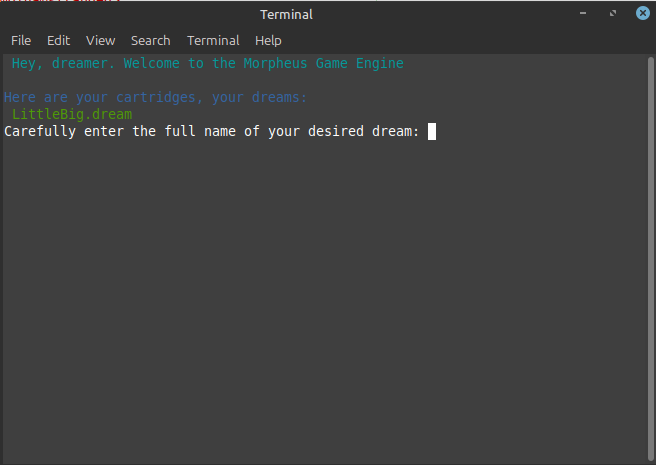
Beware that Morpheus is case sensitive, so if a name has an uppercase letter you have to actually write it as an uppercase letter.
Playing a Game:
The theme and story of Morpheus games is completely up to the writer, it could be set in space, in medieval times.. Maybe in some alternate reality where humans are replaced by pigs?.. No matter! all Morpheus games have the 4 same actions..:
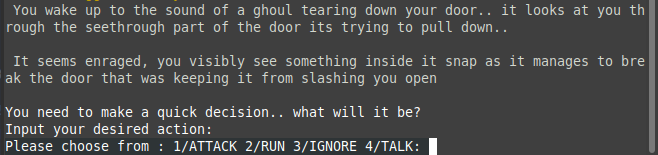
-> ATTACK / RUN / IGNORE / TALK
!!IMPORTANT!! These 4 actions have to be written in Capslock/fully uppercase for Morpheus to register them as input.
The fact that there are only 4 actions might seem very limiting, but its really up to the creators to make something cool out of it ;)
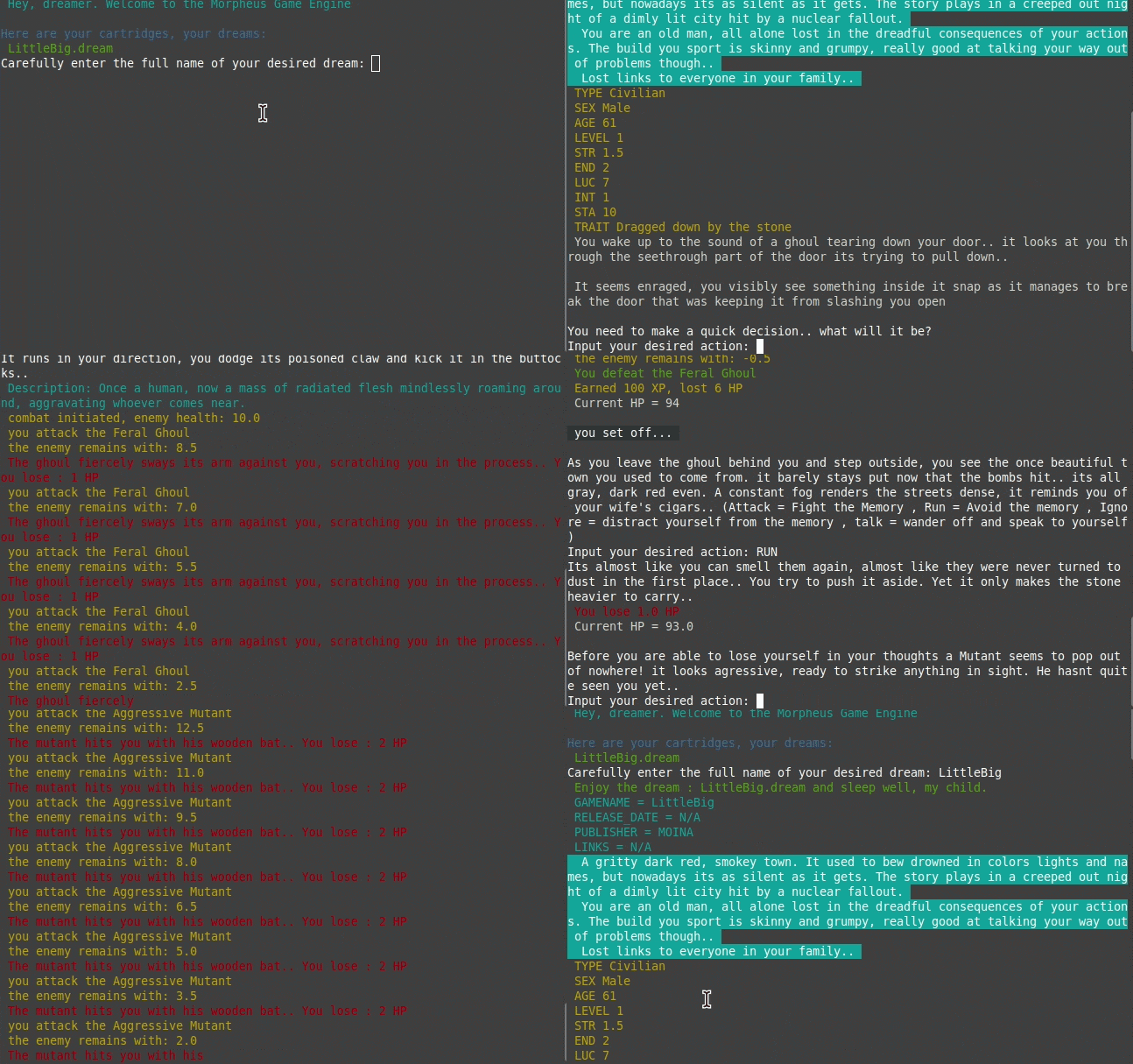
You can see a tiny snippet of a cartridge im working on here in action..:
Making a Game:
!!IMPORTANT!! if you only care about playing games, this section is not worth reading. It may even ruin the !Magic! of playing through a dream
Making Games in Morpheus is fairly simple, and also kind of not.. There are a bunch of limitations when making games in Morpheus, so much so i wouldnt really call them games as much as i would call them novels or Interactive Books.
I Highly HIGHLY recommend you take a look at an official dream, to see structure and rules from simply reading it.. Still, consider these some sort of docs for game making..:
Sections :
The parser uses sections (defined with [SECTION]) to figure out how to actually parse the contents of the file.
There are 7 sections..: META / SETTING / PARTY / ORIGIN / ENEMIES / EVENTS / ORDER
META, SETTING and ORIGIN are only rendered. They dont actually get stored anywhere or apply values inside the engine.
PARTY stores..: TYPE, SEX, AGE, LEVEL, STR, END, LUC, INT, STA, TRAIT. As of now only STR and END are actually important stats that get stored and used. The rest do get stored but arent actually used anywhere yet.
ENEMIES This Section stores enemies that you can grab during events, to have the player fight them.
EVENT The heart of your game, the events. this is basically where you actually write what happens in the game, what encounters you hit and what consequences your actions have.
ORDER This describes the linear order in which events are run. so for example if your order structure looks like this:
[ORDER] 1 : meow_1 2 : meow_2
AND you have an event that is called by meow_1, meow_2 will only happen after the events inside meow_1 are finished.
Syntax:
Morpheus Parses line by line
values in Morpheus work like this: key : value to make comments inside the code use : -
@ means you are making a new ID of an event or enemy.
Designing Enemies:
These are the keys every enemy needs to have in order to work properly : floats : HEALTH, DAMAGE, XP_REWARD strings : NAME, ATTACK_PROMPT, DESCRIPTION You define an enemy by writing :
@enemy_name : key : value
Writing Events:
these are they keys needed for an event to work properly:
TEXT, ATTACK, IGNORE, RUN, TALK additionally you can use these other keys:
ATTACK_CONSEQUENCE, TALK_CONSEQUENCE, IGNORE_CONSEQUENCE, RUN_CONSEQUENCE,
ENEMY (if callable combat used)..: uses the id minus the @ symbol of an enemy as value
CONSEQUENCE FUNCTIONS: if you use one of the above shown INPUT_CONSEQUENCE keys you can call these functions: hp/xp = add/remove xp or hp. example syntax: + 10 hp / -1 xp combat = this runs a basic combat loop, pulling the id from the key ENEMY runevent = run an event as consequence, before following ORDER. example syntax : runevent your_event
ESTABLISHING an ORDER :
As previously mentioned, ORDER is the linear non consequential order at which events happen. The syntax is very simple, simply write the number of the event as key and the id of the event as value..:
1 : event_1 2 : some_cool_event
Additionally you can assign a custom value called random, it will pull a random event from your [EVENTS] section. not recommended for games with a story honestly. but maybe you are making some sort of rpg and its worth playing around with especially for debugging.
GOODFUN HAVE LUCK <3
again here is the github https://github.com/moinaaaaa/Morpheus
Oh And feel free to chekcout my telegram channel where i post about anything that comes to my mind at..:
Download
Click download now to get access to the following files:
Comments
Log in with itch.io to leave a comment.
i should probably fix all these typos
nvm i cant seem to actually build a windows or linux version lol..
edit: GOT IT WORKING FINALL AHHH
Keep In mind this is an Alpha build, both the engine and the novel/game made in it are faaaaar from finished